×

What does this message mean: 'Input string was not in a correct format'?
The license file in the folder config (lc.dat) is not valid anymore.
Please follow the next steps:
- Close SYNCING.NET.
- Delete the lc.dat file in the folder C:\documents and settings\User account\\application data\SYNCING.NET\config.
- Restart SYNCING.NET and activate your license again.
If the message still occur please contact SYNCING.NET Technical Support 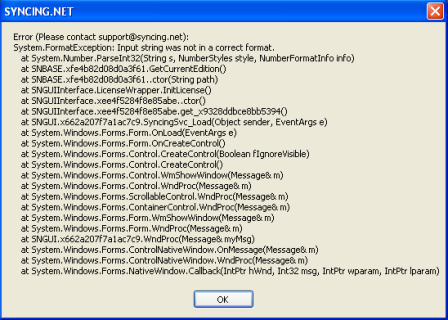
Didn't find the answer you were looking for?
Return to the FAQ overview or submit a ticket to our technical team.
