
SYNCING.NET compared to OneDrive, Dropbox and Exchange
SYNCING.NET brings the convenience of cloud synchronization without storing your data on external servers: the devices exchange Outlook folders and files directly, end-to-end encrypted. The files stay on your computers, available offline, without a storage quota and without an Exchange server.
- Outlook + Files in One (What Both Lack): Cloud drives (OneDrive/Dropbox) cannot sync live Outlook .pst folders, and Exchange is built for mail, not direct file sharing. SYNCING.NET does both.
- Zero Third-Party Storage & True E2EE: Unlike cloud providers or Microsoft 365 tenants, your encryption keys and data stay strictly on your own hardware (GDPR-ready).
- No Cloud Storage Quotas: Synchronize unlimited file sizes using your local hard drive space. No per-user gigabyte limits (2 GB / 5 GB / 15 GB).
- Full LAN Offline Sync & Store and Forward: Sync directly in your local network even without Internet, or use our optional encrypted relay when devices are offline.
System: Full 14-day Business Edition trial for Windows (classic Outlook & files), macOS & Linux. Companion apps on App Store & Google Play.
Comparison note: Based on documented vendor specifications (checked 2 November 2026). No third-party logos used.
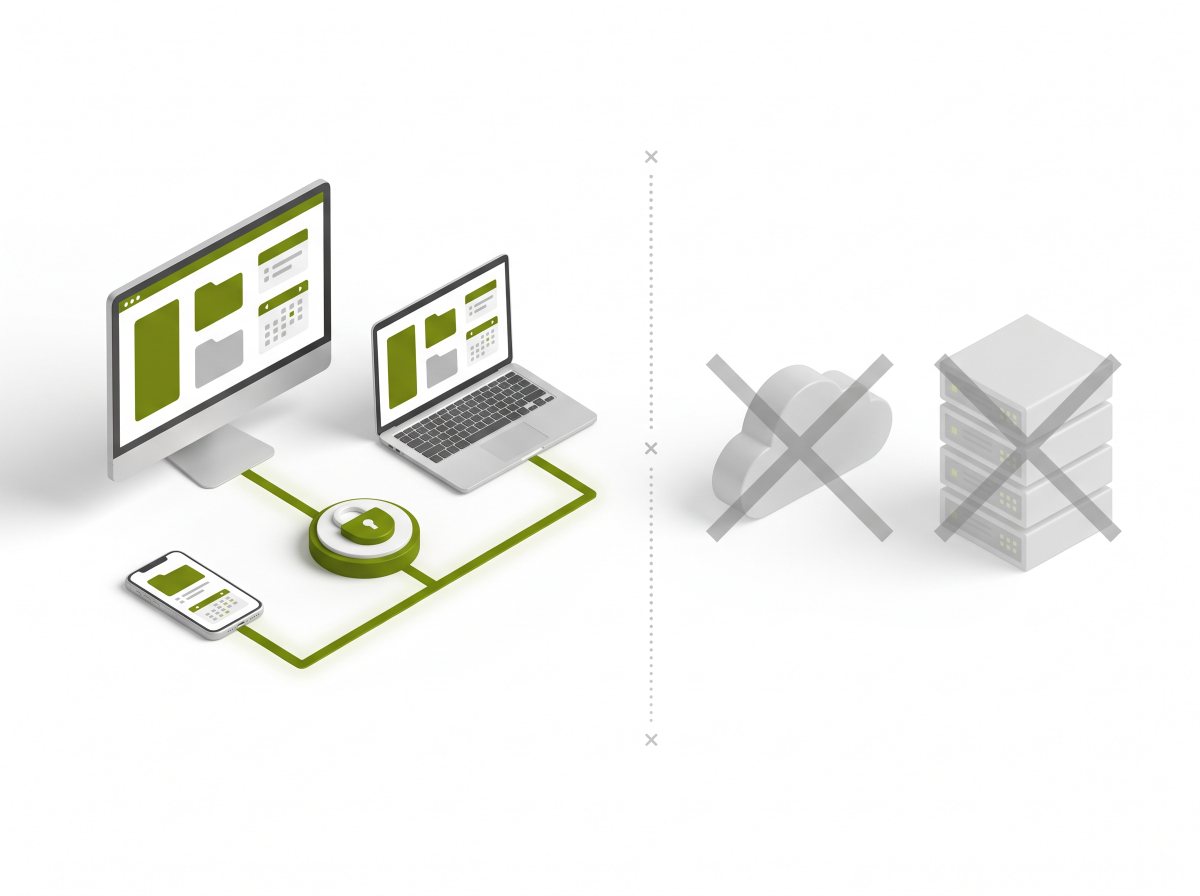
Three models, three answers to the same question
OneDrive and Dropbox are cloud storage: files are stored in the vendor's data centres and distributed from there. Exchange is a mail server: mailboxes, calendars and contacts are held centrally. Both models put the data on infrastructure that someone else operates and administers. SYNCING.NET takes a third route: the devices exchange Outlook folders and files directly and encrypted, no cloud and no server in between.
The decisive difference is security. With direct synchronization the data stays on the computers that the firm controls, and the transfer between the devices is end-to-end encrypted. There is no provider in between that could read the files, and no data storage in a third country. If a group works with devices that are not online at the same time, Store and Forward can be enabled: files are then held temporarily and encrypted on our servers, including encrypted file names that even our staff cannot read, and deleted again after delivery. The feature can be switched off in the software.
There is also no storage quota: cloud plans limit the storage per user (free tiers: Google 15 GB, Dropbox 2 GB, OneDrive 5 GB, paid plans more, but still a quota), while SYNCING.NET uses the free space on the local computers. Very large files that exceed a cloud quota are therefore not a problem.
Offline operation and teamwork are part of the package: files and Outlook data are available on the computer even without Internet, while cloud and Exchange access depends on the connection (cloud clients only keep cached copies). Rights per user and per group and, with the Manager Edition, a central console come without a server. So you get the convenience of a cloud without its main drawback: the data does not leave the firm, which is what data protection and sector rules in Europe expect.
Models compared
| Criterion | SYNCING.NET | OneDrive / Dropbox | Exchange |
|---|---|---|---|
| Storage location of the data | On your computers; no transfer to a service provider | Data centres of the cloud vendor | Server or Microsoft 365 tenant |
| Encryption | End-to-end encrypted between the devices; the keys stay on the computers | Encrypted in transit; the vendor stores the data and manages the keys | Encrypted in transit; the server operator can access the data |
| Synchronize Outlook folders between computers | Yes, directly via the local PST file | No, no Outlook synchronization | Yes, centrally via the mailbox |
| Local PST files | Yes, the basis of the synchronization | Not the purpose of the product | No, central mailbox |
| Files and folders | Yes, directly between the devices, without a cloud | Yes, via the cloud | No, mail and calendar |
| File size and storage space | No vendor limit; limited only by the free space on the computers | Plan-based quota (free: Google 15 GB, Dropbox 2 GB, OneDrive 5 GB) | Mailbox and storage quota, files via OneDrive or SharePoint |
| Working without Internet in the local network | Yes, fully in the local network | Limited, the synchronization runs through the cloud | In the local network yes, externally via VPN or web access |
| Role as processor | Only while Store and Forward is active, temporary and encrypted | Cloud vendor | Operator or hosting provider |
| Rights, roles and administration | Read, write and admin rights per user and per group; central console in the Manager Edition | Roles only in business plans, usually billed per user | Role-based administration for the server or tenant |
| Cost model | Annual licence per computer | Subscription per user | Server and client licences or a Microsoft 365 subscription |
| macOS and Linux | Files yes (FileSharing Edition) | Yes | Client available, data central |
Advantage SYNCING.NET Comparable
OneDrive and Dropbox are grouped here because they follow the same model; their scope and prices differ in detail. Exchange here means both on-premises servers and Exchange Online in Microsoft 365. The storage figures for the cloud services refer to their free plans; paid plans increase the quota, but it remains a quota.
Bottom line
SYNCING.NET brings together what cloud storage and Exchange each solve only in part: files and Outlook data are synchronized between the computers, encrypted end to end, available offline and without a storage quota. Store and Forward bridges the times when not all devices are online, encrypted and switchable. So you get the convenience of a cloud without the data being stored on third-party servers, in other legal systems or on other continents, which is exactly what data protection requirements in Europe and in regulated industries do not allow.
Sources and check date
Checked on: 2 November 2026
- OneDrive: Microsoft product page
- Dropbox: plans and scope
- Microsoft Exchange: product page
- Google Drive: plans and storage
We describe publicly documented characteristics of the models named and use no third-party logos. The products of the vendors named are independent solutions; features and prices can change. Please check the current information with the vendor before deciding.
Frequent questions about cloud and Exchange
How secure is the synchronization?
Is there a file size limit?
Can I use OneDrive for my PST files?
When is Exchange the better choice?
What does that mean for data protection?
Do cloud services work offline?
More details
Test it without a cloud and without a server
Install SYNCING.NET on two computers and synchronize your own Outlook data. Afterwards the shop shows which edition fits your environment.
